
New Home Smart Home Integration: Your 2026 Build Guide

TL;DR:
Installing structured wiring, neutral wires, and Matter 1.3-certified devices during construction ensures seamless smart home integration. Hiring certified professionals and planning infrastructure early reduces costly retrofits and enhances system reliability. Using local control platforms like Home Assistant protects privacy and maintains automation during outages.
Why smart home integration belongs in your new build, not after it
The best time to wire a smart home is before the drywall goes up. New home smart home integration means embedding the full communication backbone during construction, so lighting, HVAC, security, and energy systems share a single infrastructure from day one rather than being patched together later.
The core components are structured wiring, neutral wires at every switch box, and dedicated low-voltage conduit pathways. Together, they let every connected device talk through one unified system. A 2015 iControl survey identified personal and family security as the top driver for smart home adoption, followed closely by energy savings. Both goals are far easier to achieve when the infrastructure is built in from the start.
Key benefits homeowners gain by integrating during construction:
Security: Hardwired cameras, door sensors, and alarm systems that never drop off the network
Energy efficiency: Automated HVAC and lighting that respond to occupancy and schedules
Resale value: Certified smart infrastructure consistently attracts higher buyer interest
Scalability: A shared communication backbone makes adding devices later straightforward
Essential smart home infrastructure for your new home construction
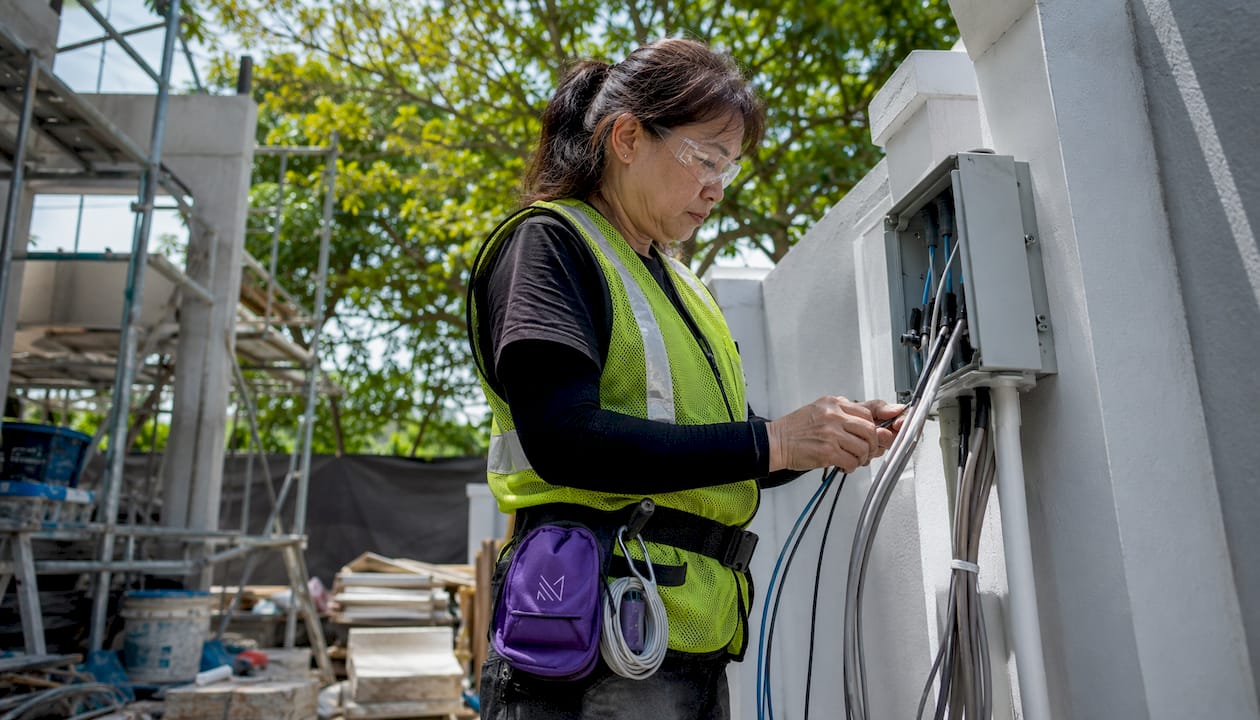
Getting the wiring right during the rough-in stage is the single highest-return decision in any smart home build. Once drywall is up, every missed cable run costs multiples of what it would have during framing.
Category 6A cabling to all major zones, including the kitchen, master suite, home office, and garage, for reliable high-speed data transmission
Neutral wires at every switch box, required by most Matter 1.3-certified smart switches; builders who skip them create expensive rework later
Dedicated low-voltage conduit for PoE lighting, IP cameras, and sensors, kept separate from AC power lines to reduce interference
Hardwired Ethernet for static devices such as media systems, home offices, and security hubs, which prevents the network congestion common in Wi-Fi-only setups
A centralized low-voltage panel in a climate-controlled space, not a hot garage, where all structured wiring terminates cleanly
Pro Tip: Ask your electrician to pull a ceiling run to each end of the house for wireless access points and install empty conduit between floors. Whatever cable standard exists in 2035, you can pull it through without opening a single wall.
How Matter 1.3 solves the compatibility problem for you
Matter 1.3 is the current industry standard for smart home interoperability, backed by Apple, Google, Amazon, and Samsung. It ensures that devices from different brands connect without bridges, workarounds, or compatibility guesswork.
Before Matter, homeowners were forced to pick one ecosystem and stay there. Now, a Matter 1.3-certified thermostat works natively with both Google Home and Apple HomeKit on the same network. The key word is “certified.” Vague claims like “Matter-ready” or “Matter-compatible” carry no guarantee; only devices with official CSA Group certification have passed conformance testing.
Common protocols you will still encounter:
Zigbee: Low-power mesh, used by Philips Hue and IKEA; requires a hub but covers large areas well
Z-Wave: Sub-GHz mesh with a 30-meter range, strong for locks and climate control
Wi-Fi: Highest bandwidth, broadest device support, but power-hungry for battery devices
Thread: Low-power mesh that underpins Matter’s local communication layer
For new construction in 2026, Matter 1.3 is the baseline. Request the CSA certification ID in writing before any device is specified.
Balancing cloud reliance, privacy, and personal control
Not every homeowner wants the same level of automation, and the right platform depends on how much you trust the cloud with your data. Cloud-dependent ecosystems like Google Home offer easy setup and broad device support, but your automations stop working if the internet goes down or the provider changes its terms.
Local-first platforms like Home Assistant keep all processing on-site. Automations run during outages, no data leaves your home, and you retain full control over every rule and schedule. ZDNET’s smart home reviewers describe Home Assistant as the most versatile home automation system available, noting it works with over a thousand integrations including Matter. The tradeoff is a slightly steeper setup curve compared to plug-and-play cloud options.
Practical guidance for choosing your approach:
Prioritize local control if privacy, uptime, or long-term data ownership matters to you
Cloud ecosystems suit homeowners who want fast setup and voice-assistant convenience
A hybrid approach, local hub with selective cloud services, gives you the best of both
Replace multiple siloed apps with one interface customized to your household’s routines
For deeper guidance on planning your home’s layout around these systems, interior design planning is worth reviewing early in the process.
Key benefits and the mistakes that undermine them
Smart home technology delivers real, measurable gains when the foundation is correct. When it is not, the same technology becomes a source of frustration and cost.
Benefits worth building for:
Integrated alarms, cameras, and access control that respond as one system
Climate automation that cuts energy waste without manual input
Property value uplift from certified, documented smart infrastructure
Mistakes that cost homeowners the most:
Skipping neutral wires at switch boxes, the single most common and most expensive retrofit in smart home construction
Choosing proprietary hubs that lock you into one vendor’s ecosystem with no exit path
Accepting “Matter-compatible” claims without requesting the CSA certification documentation
Fragmented device purchases from multiple brands with no unified control layer
Hiring certified professionals changes the outcome significantly. Field data shows that homeowners working with UL 2010 or CEDIA certified integrators experience 73% fewer post-handover callbacks on complex smart home projects. Certified integrators validate Matter device discovery, latency, and failover behavior before they hand over the keys.
How Monarch carpenters brings smart home integration to life
Monarch carpenters approaches every new home project as a multidisciplinary challenge, where the carpentry, the interior design, and the technology infrastructure are planned together from the first sketch. That coordination is what prevents the common outcome of beautiful rooms with cables running visibly along skirting boards or smart panels crammed into awkward corners.

The studio’s in-house team works closely with certified integrators to specify Matter 1.3-certified devices, plan low-voltage pathways within the cabinetry and wall build-outs, and deliver commissioning documentation that homeowners can rely on for years. Clients consistently highlight the combination of meticulous craftsmanship and cost-effective solutions, noting that Monarch carpenters delivers the kind of refined finish that larger firms charge a premium for. That feedback reflects a deliberate philosophy: great design should not require an outsized budget.
For homeowners who want to understand how professional design input prevents costly mistakes, the case for working with an interior designer early is well documented.
Energy management and renewable energy integration
Smart home technology and renewable energy work best when they are planned together. Solar panels, EV chargers, and battery storage systems all benefit from circuit-level energy monitoring, not just a panel-level clamp meter. Tools like Sense or Emporia provide the granularity needed for automated load-shifting, where the system runs the washing machine when solar output peaks rather than when grid rates are highest.
Electric vehicle and solar integrations justify the upfront investment in full-build smart home infrastructure through strong operational savings over time. Rough in the EV charger circuit, the battery transfer switch, and the solar monitoring wiring during construction. Doing it after the fact costs substantially more and often requires opening finished walls.
User interface options and accessibility for every household member
A smart home that only one person in the household can operate has failed its brief. Control4 addresses this directly, offering a single platform accessible via smartphone, touchscreen, on-wall keypads, and voice commands, with personalized profiles for different household members. Voice assistants like Amazon Alexa and Google Assistant extend that accessibility to residents with mobility limitations or visual impairments.
For households with elderly members or young children, wall-mounted keypads with large tactile buttons often outperform app-based control for daily tasks. The goal is one intuitive interface that every resident can use confidently, not a technically impressive system that requires a tutorial to operate. Plan the interface layer alongside the infrastructure, not as an afterthought.
Building codes and regulatory considerations for smart home installation
Singapore’s Building and Construction Authority sets requirements for low-voltage wiring, electrical installations, and fire safety systems that affect smart home planning directly. All electrical work, including smart switch installations and dedicated circuits for EV chargers, must be carried out by licensed electrical workers. Low-voltage cabling for data and security systems falls under separate regulatory categories but still requires compliance with SS 638, Singapore’s standard for structured cabling.
Commissioning documentation, including as-built diagrams and network topology maps, is not just good practice. Some insurers and future buyers will request it. Building it into the project from the start, rather than reconstructing it after handover, saves time and protects your investment.
Protecting your smart home from cyber threats
Every connected device is a potential entry point. The most effective protection starts with network segmentation: put smart home devices on a dedicated VLAN or guest network, separate from computers and phones that hold sensitive data. A compromised smart bulb should not have a path to your banking credentials.
Beyond segmentation, the practical checklist is short but non-negotiable:
Change default passwords on every device and hub before connecting them to the network
Enable multifactor authentication on all cloud accounts linked to smart home platforms
Keep firmware updated; Matter 1.3-certified devices receive security patches through 2027 and beyond
Request a signed commissioning report that includes firmware version logs for every installed device
Future-proofing your smart home for what comes next
The infrastructure you install today needs to accommodate devices that do not exist yet. Empty conduit between floors and to strategic outdoor locations is the cheapest insurance available during construction. Whatever cable standard wins in the next decade, you can pull it through without demolition.
Neutral wires at every switch location, Category 6A cabling to all major zones, and a dedicated 20-amp circuit for the central hub give your system room to grow. Matter 1.3 covers the interoperability layer, but the physical infrastructure is what determines whether upgrades cost $200 or $2,000. Build the shell right, and the technology choices stay reversible for years.
Key Takeaways
New home smart home integration succeeds when structured wiring, neutral wires, and Matter 1.3-certified devices are specified during construction, not retrofitted later.
Point | Details |
Wire during rough-in | Category 6A cabling, neutral wires, and low-voltage conduit cost a fraction of post-drywall retrofits. |
Require Matter 1.3 certification | Request the CSA certification ID in writing; “Matter-compatible” claims without documentation offer no guarantee. |
Choose local or hybrid control | Local-first platforms like Home Assistant keep automations running during outages and keep data on-site. |
Hire certified integrators | UL 2010 or CEDIA certified professionals deliver 73% fewer post-handover callbacks on complex projects. |
Plan with Monarch carpenters | Monarch’s multidisciplinary approach embeds smart infrastructure within elegant, cost-effective interiors from the design stage. |
FAQ
What is the most important wiring decision in a new smart home build?
Installing neutral wires at every switch box is the single most critical early decision. Retrofitting them after construction requires significant demolition and costs substantially more than getting it right during the rough-in stage.
Does Matter 1.3 work with both Google Home and Apple HomeKit?
Yes. Matter 1.3-certified devices are compatible with both Google Home and Apple HomeKit, eliminating the need to choose one ecosystem and stay locked into it.
Is a local smart home hub better than a cloud-based one?
Local-first platforms like Home Assistant keep automations running during internet outages and store no data in the cloud, making them the stronger choice for privacy and reliability. Cloud platforms offer easier setup but depend on continuous internet access.
How much cheaper is smart home integration during construction versus retrofitting?
Post-construction retrofitting for the same scope is significantly more expensive than building it in during construction, due to demolition, patching, and scheduling penalties.
Do I need a certified integrator for a new smart home build?
For projects that include solar, EV charging, or multi-story security coverage, yes. Certified integrators validate device discovery, latency, and failover behavior, and field data shows 73% fewer post-handover callbacks when they lead commissioning.
Recommended
Comments